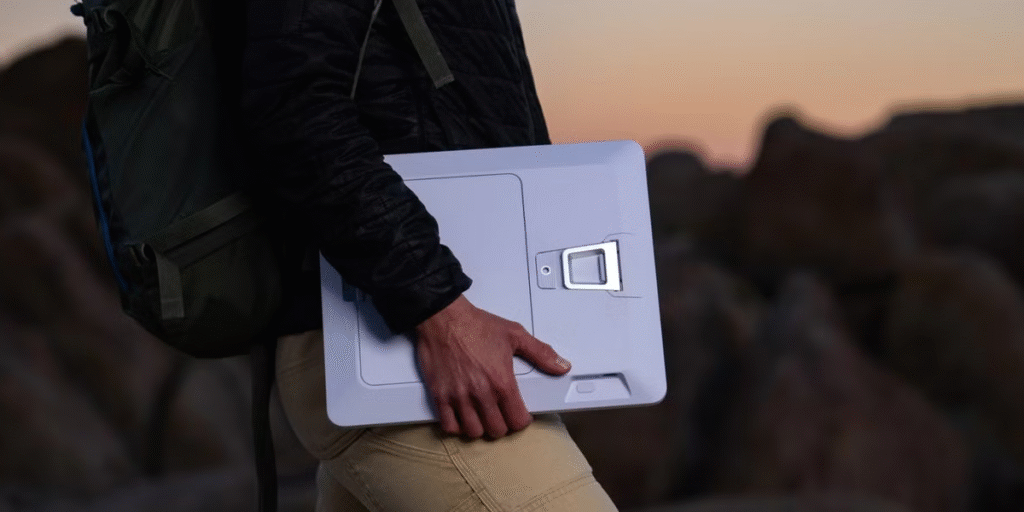
Imagine you’re setting up camp deep in the mountains, parked in a remote beach town, or working out of a field station miles away from the nearest cell tower. You open your laptop, but your phone shows the dreaded “No Service.”
In the past, staying connected in off-grid spots meant dragging along clunky satellite dishes, dealing with massive power banks, or simply accepting a digital detox. Space-based internet has completely changed that landscape, and portable satellite terminals are making off-grid connectivity easier than ever before.
Enter the Starlink Mini 2. Announced in late 2026, this second-generation portable terminal promises faster Wi-Fi, a slimmer design, and—most importantly—a removable battery that changes how you power your connection on the go.
Whether you’re a digital nomad, an avid camper, a remote worker, or an outdoor professional, here is an in-depth, clear, and comprehensive guide to everything the Starlink Mini 2 offers, how it compares to its predecessor, and whether it’s actually worth your money.
How Does Starlink Mini 2 Work?
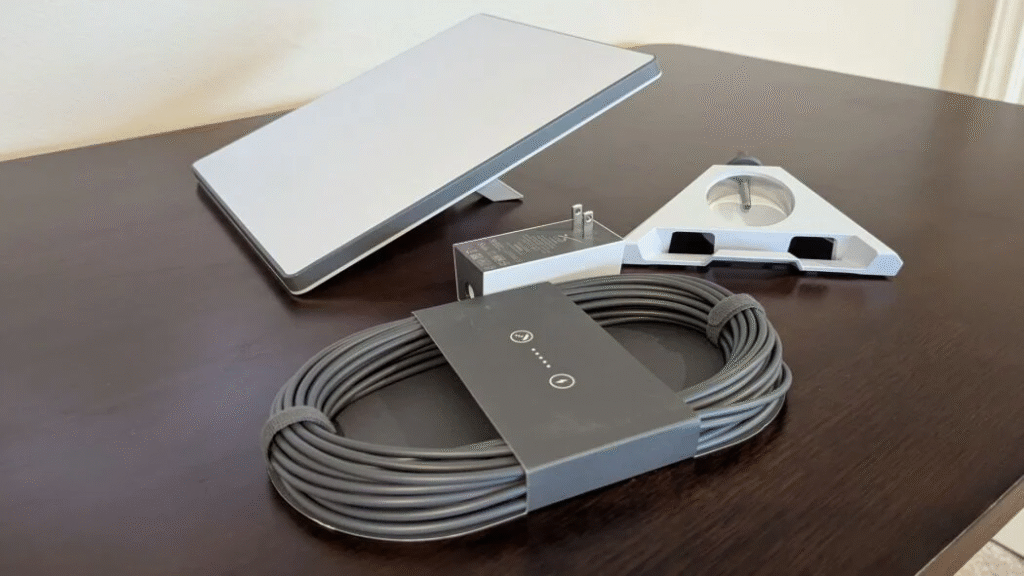
At its core, the Starlink Mini 2 operates on SpaceX’s constellation of thousands of small satellites operating in Low Earth Orbit (LEO). Unlike traditional geostationary satellites that hover nearly 22,000 miles above the Earth, LEO satellites orbit much closer—roughly 340 miles up. This drastically reduces latency (the delay between sending and receiving data), making satellite internet feel snappy and responsive enough for video calls and real-time tasks.
Here’s a breakdown of how the connection flows:
[ Your Device ] ──(Wi-Fi 6)──> [ Starlink Mini 2 ] ──(Laser/RF)──> [ LEO Satellite ] ──> [ Ground Station / Internet ]
The 3-Step Setup Process
Setting up the Mini 2 takes just a couple of minutes:
- Position the terminal: Place the unit on its kickstand or mount it in a location with an unobstructed view of the sky.
- Power it up: Press the power button using the internal/removable battery or connect it to a power source.
- Align via the app: Open the official Starlink app on iOS or Android. The app uses your phone’s camera and AR tools to check for tree branches, roofs, or mountain peaks that might block your signal, helping you tilt the terminal toward the active satellite belt.
Once aligned, the integrated Wi-Fi router broadcasts a wireless network for all your devices—no extra cables, external routers, or technical configuration required.
How Fast Is the Internet Speed on Mini 2?
When considering satellite hardware, speed is usually top-of-mind. Can you comfortably stream HD video, upload heavy files, or drop into a Zoom call without freezing?
What to Expect in the Field
While Starlink doesn’t guarantee fixed speeds for every user, practical real-world testing and network standards yield typical performance windows:
- Download Speeds: Typically range between 50 Mbps and 150 Mbps, depending on cell congestion and overhead satellite density.
- Upload Speeds: Generally hover between 10 Mbps and 25 Mbps, which is plenty for sending emails, uploading photos, and broadcasting video.
- Latency: Averages 25 ms to 50 ms, making standard web navigation and voice chat feel almost identical to home broadband.
Supported Everyday Activities
| Activity | Performance Experience | Real-World Tip |
| Web Browsing & Email | Instantaneous | Works smoothly even with partial obstructions. |
| Video Meetings (Zoom, Teams) | Very Smooth | Requires a 100% clear sky view to prevent dropouts. |
| 4K Video Streaming | Excellent | Pre-buffer videos if passing under heavy tree foliage. |
| Cloud Backups (Drive, Dropbox) | Good | Uploading massive RAW photos or videos takes a bit longer than gigabit fiber. |
| Online Gaming | Playable for casual games | Competitive fast-twitch shooters may experience occasional micro-stutters. |
Pro Tip: Speeds naturally fluctuate throughout the day. If you are parked in a densely populated area during peak evening hours, speeds may dip slightly due to bandwidth sharing across the local satellite beam.
Starlink Mini 2 vs. Original Starlink Mini: Key Differences
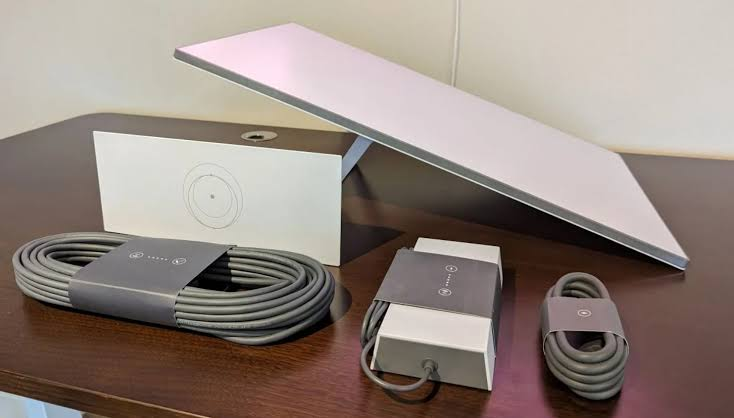
If you already own the first-generation Starlink Mini, you might wonder if upgrading is necessary. The original Mini proved that satellite gear could fit into a backpack, but the Mini 2 refines the hardware by solving some of the biggest user complaints regarding power and coverage.
Specs Comparison Table
| Feature | Original Starlink Mini | Starlink Mini 2 | Why It Matters |
| Power Source | External power required (DC / Power Bank) | Removable 71Wh Battery (included) | Eliminates cable clutter for short sessions. |
| Battery Life | N/A (Requires external supply) | Up to 4.5 hours | Great for quick field setups, work breaks, or emergency calls. |
| Wi-Fi Generation | Wi-Fi 5 (802.11ac) | Wi-Fi 6 (802.11ax) | Better handling of multiple connected devices and higher speeds. |
| Thickness | 38.5 mm (1.51 in) | 23.1 mm (0.91 in) | Over 40% thinner, sliding easily into laptop sleeves. |
| Weight | ~1.1 kg (2.4 lbs) without power kit | ~1.6 kg (3.5 lbs) with battery & kickstand | Slightly heavier overall due to onboard battery, but self-contained. |
| Weather Rating | IP67 (Dust & Water Resistant) | IP67 (Dust & Water Resistant) | Fully sealed against heavy rain, snow, and dirt. |
| Wireless Range | Up to 1,200 sq. ft. | Up to 1,800 sq. ft. | Covers a much larger campsite, RV perimeter, or work site. |
The Standout Upgrades Explained
- The Removable Battery System: The older Mini required carrying external USB-C PD power banks, custom cables, or 12V adapters. The Mini 2’s sleek, click-in 71Wh battery means you can pull the dish out of your pack, set it on a rock, and hit power without unwinding a single cable.
- Wi-Fi 6 Integration: Upgrading from Wi-Fi 5 to Wi-Fi 6 increases bandwidth efficiency. If five people at a campsite are simultaneously streaming music, uploading pictures, and browsing, Wi-Fi 6 prevents network bottlenecks far better than older standards.
- Slimmer Profile: Cutting the depth down to just 23.1 mm makes packing much simpler. It slides flat into backpacks alongside your laptop.
Price, Packages, and International Availability
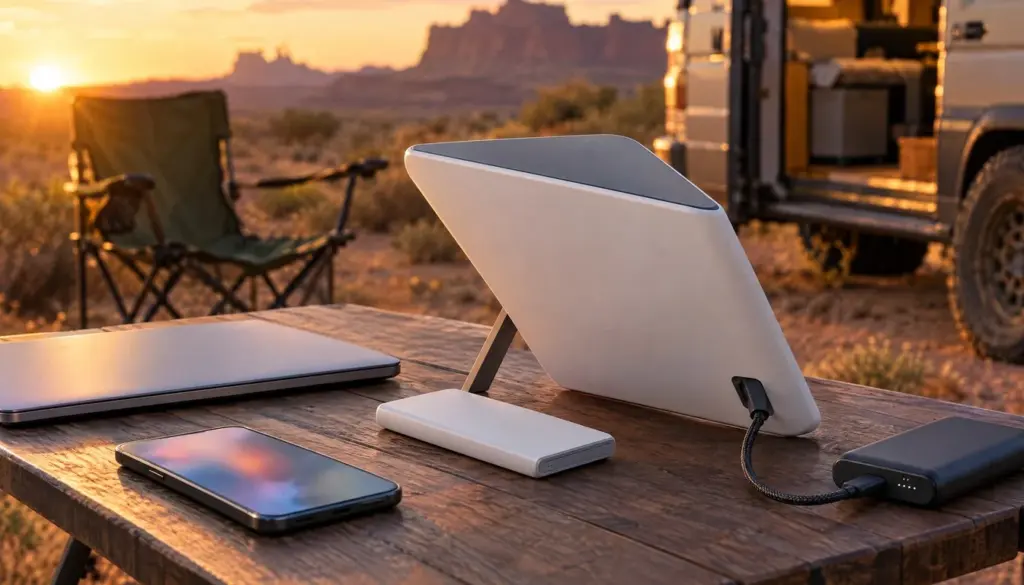
Understanding the true cost of Starlink involves two parts: Hardware Costs (one-time purchase) and Service Subscription Costs (recurring monthly fees).
Initial Pricing Structure
Following its rollout announcement, early US invitees and beta testers reported the following price points:
- Mini 2 Beta Kit: ~$249 (Special introductory hardware pricing for selected beta testers).
- Spare Battery (71Wh): ~$50 each (Ideal for hot-swapping during long work sessions).
- All-in-One Roam Bundle: ~$999 (Includes hardware paired with a full 1-year Roam Unlimited service plan).
Note: These figures reflect initial US invite-only offerings. Standard retail pricing outside early access programs may vary as wider production ramps up.
Global and Regional Availability
- United States & North America: Early access invitations opened first to active Starlink account holders in late 2026, with standard retail distribution rolling out progressively.
- International & India Markets: Regional availability depends heavily on local regulatory approvals, spectrum allocation, and landing station licensing. For instance, in markets like India, local regulatory clearances and telecommunications permissions must be finalized before service activation and hardware shipments begin.
- Rule of Thumb: Always verify hardware shipping timelines and active service map coverage directly on your local Starlink country portal before ordering from third-party resellers.
Who Should (and Shouldn’t) Buy the Starlink Mini 2?
While the tech is impressive, satellite internet isn’t a one-size-fits-all product. Here is a clear look at who will get the most value out of it—and who might be better off skipping it.
       [ Who Is It For? ]
              │
  ┌───────────┼───────────┬──────────────┐
  ▼           ▼           ▼              ▼
Overlanders  Nomads   Field Teams  RV Families
Ideal Users
- Overlanders and Campers: If you routinely camp outside cellular range, the Mini 2 is a game-changer. The 4.5-hour battery allows you to check weather updates, download maps, or send messages without draining your vehicle’s main power.
- Remote Workers & Freelancers: If keeping client commitments requires guaranteed internet while working from national parks, cabins, or temporary accommodations, the Mini 2 serves as an insurance policy against poor local Wi-Fi.
- Outdoor Professionals & Field Teams: Landscape photographers, wildlife researchers, environmental surveyors, and drone pilots can upload files and telemetry directly from field sites.
- RV & Caravan Travelers: The extended Wi-Fi 6 range (1,800 sq. ft.) easily penetrates trailer walls and provides signal across your entire campsite area.
Who Should Probably Skip It?
- Urban and Suburban Homeowners: If you already have access to cheap, fast home fiber or cable internet, Starlink hardware and monthly plans will be unnecessarily expensive.
- Casual Travelers Who Stay Near Highways: If your trips consist mainly of driving between major cities and staying in hotels, a standard cellular mobile hotspot (or phone tethering) will be far cheaper and easier to manage.
Essential Buying Considerations & Real-World Limitations

Before adding the Mini 2 to your gear list, keep these four practical realities in mind:
1. The “Clear Sky View” Requirement
Satellite internet requires an line of sight to orbiting satellites.
- Dense Forest Canopy: Tall pine or oak trees directly overhead will cause signal dropouts.
- Urban Canyons: High-rise buildings can block incoming satellite signals.
- Solution: Use the Starlink app’s obstruction scanner before setting up your tent or parking your vehicle.
2. Battery Realities for Full Workdays
An advertised 4.5-hour battery life is great for short sessions, but it won’t power a full 8-to-10-hour workday. If you plan to work remotely all day:
- Invest in a secondary plug-in spare battery.
- Keep a portable power station (like a Jackery, Anker, or EcoFlow) nearby to top up via DC/AC ports.
3. Understanding Service Plans (Roam vs. Standard)
Hardware is only half the equation. You must subscribe to an active service plan:
- Starlink Roam (Regional/Global): Allows you to use the dish away from your home address. Offers “pause subscription” options during months when you aren’t traveling.
- In-Motion Use: If you plan to mount the unit on top of a moving vehicle or boat, check if your specific tier permits in-motion data usage.
4. Physical Security Off-Grid
Because the Mini 2 is light, compact, and valuable, leaving it unattended outside your tent or RV in high-traffic campsites comes with a theft risk. Make sure to lock it down using compatible security mounts or stow it away when leaving camp.
Is the Starlink Mini 2 Worth It in 2026?
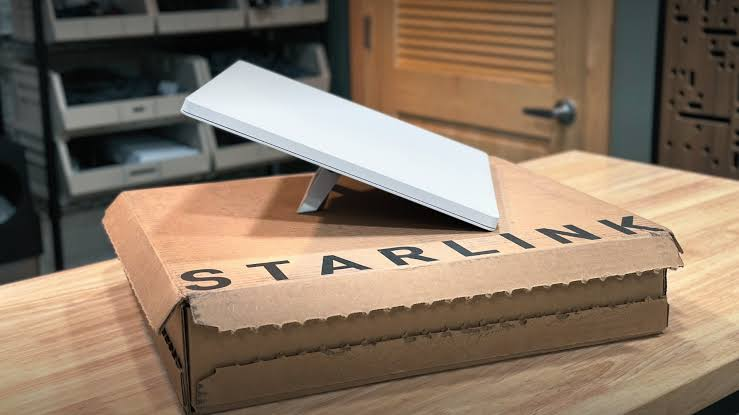
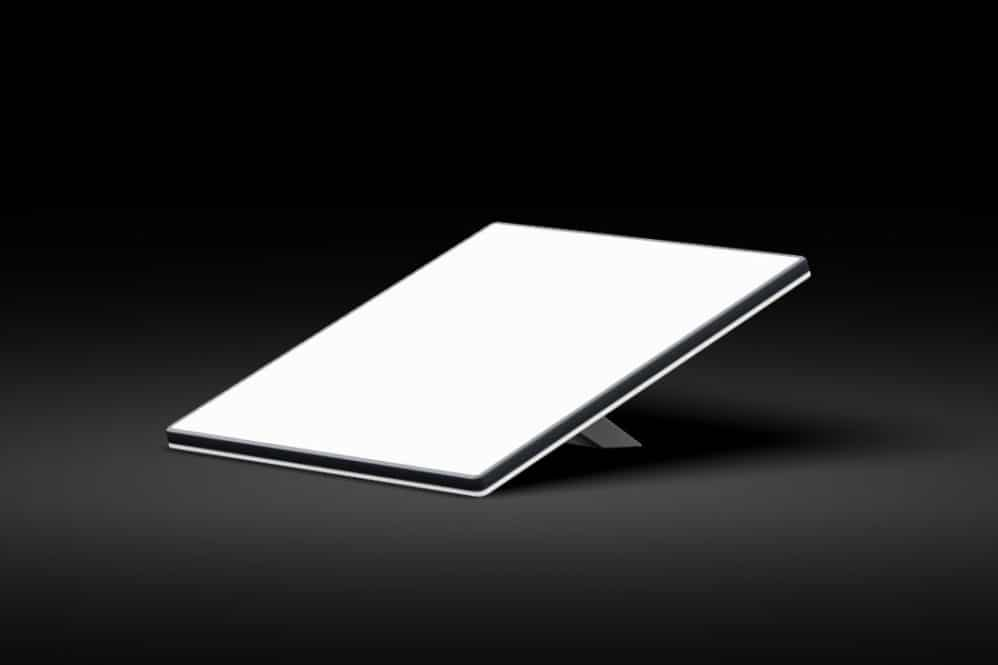
The Starlink Mini 2 bridges the gap between bulky, power-hungry satellite dishes and ultra-portable consumer tech. By integrating a removable 71Wh battery, Wi-Fi 6 capability, and a slimmer weather-sealed chassis, it solves almost every physical inconvenience that held back previous portable setups.
- If you already own the original Starlink Mini: Unless you desperately need to eliminate external cables or need Wi-Fi 6 for a large group, your current dish still offers similar core speeds. You might want to hold off.
- If you are buying your first portable satellite setup: The Mini 2 is undoubtedly the best, most user-friendly entry point on the market today.
For those whose work or lifestyle takes them past the edge of the cell tower grid, the Starlink Mini 2 provides true peace of mind: reliable, high-speed connection anywhere you can see the open sky.
Frequently Asked Questions
The OfferDeals team
Written and checked by the people who run OfferDeals.