
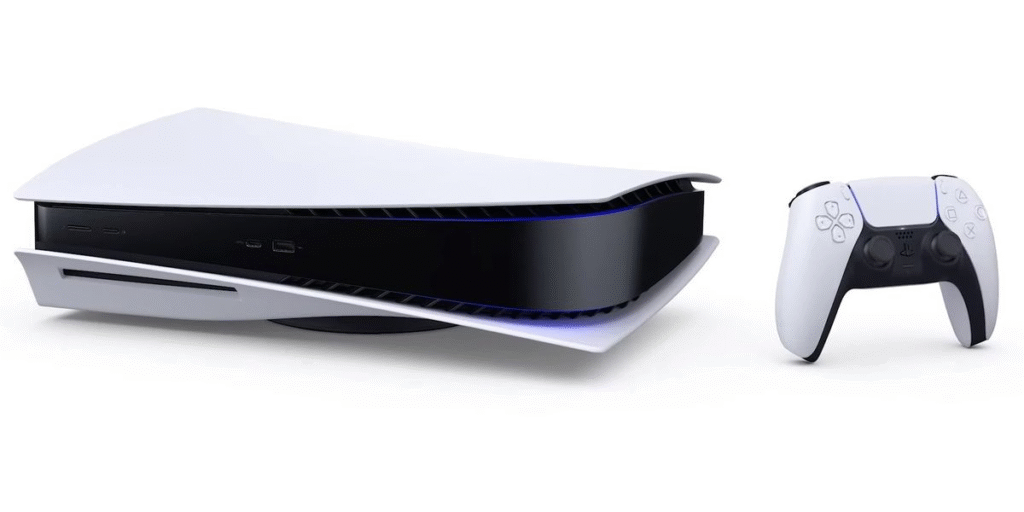
Buying a new gaming console is always exciting, but it also makes you stop and think before opening your wallet. When Sony announced the PlayStation 5 Pro, gamers everywhere asked the exact same questions: Is the visual upgrade actually noticeable during real gameplay? Is the higher price tag justified? And if I already own a standard PS5, do I really need to switch?
The PS5 Pro is built for players who want more from their hardware—sharper image clarity, richer lighting effects, and rock-solid frame rates. However, it isn’t a completely new console generation. The core interface, the DualSense controller, and the overall PlayStation ecosystem remain identical. That makes your buying decision less about stepping into a brand-new generation and more about how much you value top-tier visual performance.
Whether you are looking to upgrade your existing setup or buying a PlayStation for the very first time, here is a clear, fluff-free breakdown of what the PS5 Pro brings to the table, where it shines, and whether it deserves a spot under your TV.
What Is the PS5 Pro, Exactly?
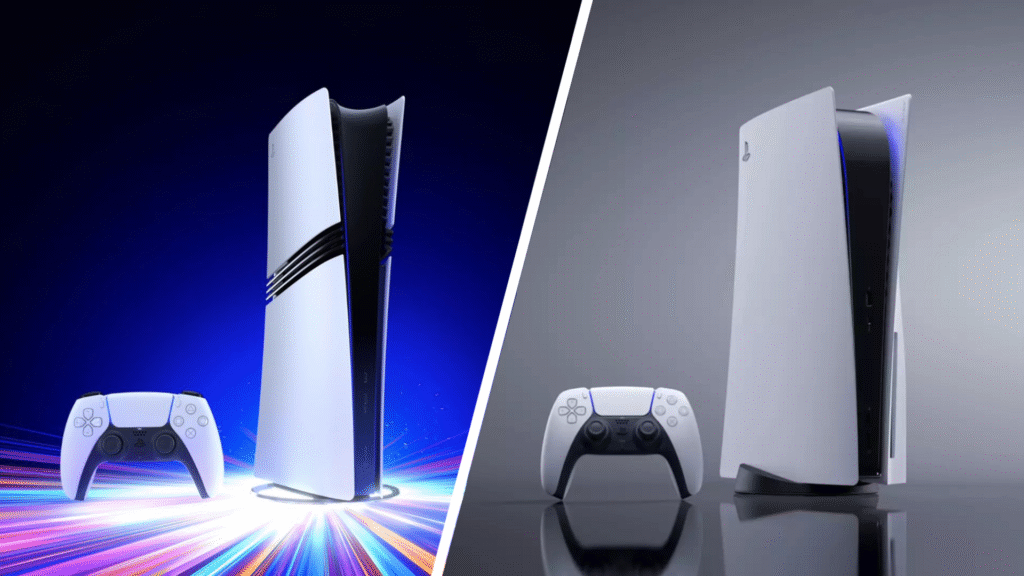
The PS5 Pro is a mid-generation hardware refresh designed for enthusiasts. It doesn’t replace the standard PS5; instead, it sits alongside it as a premium alternative.
Under the hood, the PS5 Pro packs a significantly larger, more powerful Graphics Processing Unit (GPU). This extra horsepower allows supported games to render complex graphics faster and deliver higher fidelity without bringing frame rates to a crawl.
┌─────────────────────────────────────────────────────────────────────────────┐
│                       STANDARD PS5 vs. PS5 PRO AT A GLANCE                  │
├───────────────────────────┬─────────────────────────────────────────────────┤
│ Target Audience           │ Everyday gamers seeking great 4K performance    │
│                           │ vs. Enthusiasts wanting max graphics + 60 FPS   │
├───────────────────────────┼─────────────────────────────────────────────────┤
│ Key Upscaling Tech        │ Standard spatial upscaling / checkerboarding     │
│                           │ vs. AI-powered PSSR (Spectral Super Resolution) │
├───────────────────────────┼─────────────────────────────────────────────────┤
│ Base Internal Storage     │ ~825GB / 1TB SSD (depending on Slim revision)   │
│                           │ vs. Generous 2TB high-speed SSD                 │
├───────────────────────────┼─────────────────────────────────────────────────┤
│ Physical Disc Drive       │ Available built-in or detachable                │
│                           │ vs. Digital-only out of the box (drive sold sep)│
└───────────────────────────┴─────────────────────────────────────────────────┘
The key takeaway is simple: The PS5 Pro exists to eliminate the compromise between graphic detail and smooth frame rates. On the standard console, developers often force you to choose between a 30 FPS “Quality Mode” or a 60 FPS “Performance Mode.” The Pro aims to merge the best of both worlds.
The Big Three Hardware Upgrades You Need to Know

Sony built the PS5 Pro around three primary technological pillars. Understanding what these mean in plain English helps clarify what you are actually paying for.
1. Advanced Ray Tracing Performance
Ray tracing calculates how light behaves in real time, bouncing off glass, puddles, polished armor, and wet pavement to create realistic reflections and soft shadows. While the original PS5 supports ray tracing, it often forces games to drop their resolution or frame rate significantly to use it. The PS5 Pro’s upgraded GPU handles ray tracing calculations far faster, letting developers add lush lighting effects to open-world games without tanking performance.
2. PlayStation Spectral Super Resolution (PSSR)
PSSR is Sony’s proprietary, AI-driven image reconstruction technology. Instead of forcing the console to render every single pixel natively at native 4K—which taxes the hardware heavily—PSSR renders the game at a slightly lower resolution and uses machine learning algorithms to reconstruct a razor-sharp 4K image. The result? Crisp, clean edges on fine details like tree foliage, chainmail, and distant landscapes, all while preserving fast frame rates.
3. PS5 Pro Game Boost & Enhanced Storage
The PS5 Pro ships with a generous 2TB SSD, giving you double the internal storage capacity of the original release model. On top of that, “Game Boost” automatically stabilizes frame rates and improves image clarity across thousands of backward-compatible PS4 games and unpatched PS5 titles. If you have a massive digital library, your older favorite games will naturally run smoother and load fast.
The Hidden Variable: Your TV and Display Setup
You can buy the most powerful console on the market, but if your display can’t output those extra frames or pixels, you won’t see the difference. The PS5 Pro’s value is directly tied to the screen you plug it into.
                  YOUR DISPLAY DETERMINES YOUR PS5 PRO VALUE

   Older / Small 1080p TV                Modern 4K OLED / Gaming Monitor
  ┌───────────────────────┐            ┌───────────────────────────────────┐
  │ • Subtle sharp clean  │            │ • Deep darks with Ray Tracing     │
  │   edges only          │     vs     │ • True 4K clarity via PSSR        │
  │ • Hard to notice line │            │ • 120Hz & VRR smooth performance  │
  │   details             │            │ • Instant visual impact           │
  │                       │            │                                   │
  │ [ Moderate Value ]    │            │ [ MAXIMUM VALUE ]                 │
  └───────────────────────┘            └───────────────────────────────────┘
To get the absolute most out of a PS5 Pro, your display setup should ideally feature:
- A True 4K Panel (OLED or Mini-LED): High-contrast panels bring out the finer details rendered by PSSR and advanced ray tracing.
- 120Hz Refresh Rate: Essential for fast-paced shooters, action games, and racing titles that utilize high frame rates.
- Variable Refresh Rate (VRR) & HDMI 2.1: VRR matches your TV’s refresh rate to the console’s real-time frame output, eliminating screen tearing and stuttering during demanding moments.
If you are gaming on an older 1080p HDTV or a small desktop monitor without high-refresh-rate support, the visual jump will feel modest at best. In that scenario, upgrading your television first might yield a bigger visual leap than buying a new console.
Important Practical Factors to Check Before Buying
Before making a decision, consider these three crucial practical details:
The Missing Disc Drive
Out of the box, the PS5 Pro is a digital-only console. It does not include a physical disc drive. If you own a large collection of physical PS4 or PS5 game discs, or if you enjoy watching 4K Ultra HD Blu-ray movies, you will need to purchase the official, detachable PlayStation Disc Drive separately. Factor that extra cost into your total budget.
No Included Vertical Stand
Like the PS5 Slim revision, the PS5 Pro includes small plastic feet for horizontal placement in a media cabinet, but the official vertical stand is sold separately. If space on your entertainment center requires standing the console vertically, keep this in mind.
Enhanced Game Patches
Not every game automatically looks dramatically better on day one. Games labeled with a “PS5 Pro Enhanced” badge receive custom patches from developers designed to unlock higher resolutions, better ray tracing, or unlocked frame rates. While unpatched games still benefit from general stability improvements via Game Boost, the most stunning visuals come from games tailored explicitly for the Pro.
Who Is the PS5 Pro Actually For?

Because the PS5 Pro is a premium hardware refresh, it isn’t meant for every single player. Finding where you fit can save you time and money:
| Gamer Profile | Is the PS5 Pro Worth It? | Why? |
| The Enthusiast / Spec-Purist | Yes, Highly Recommended | You own a premium 4K OLED TV with HDMI 2.1, hate choosing between graphics and frame rate, and want the absolute best console performance available. |
| First-Time PlayStation Buyer | Maybe / Worth Considering | If you don’t already own a PS5 and have the budget, starting with the most powerful hardware ensures your console stays top-tier for years to come. |
| The Casual Gamer | No, Stick to Standard PS5 | You play sports games or casual multiplayer titles a few hours a week on a standard TV. The base PS5 delivers exceptional performance for much less money. |
| Current Standard PS5 Owner | Depends on Preference | If you are perfectly happy with 60 FPS performance modes and don’t mind slightly softer textures, your current console still has years of life left. |
How to Decide: A Simple Checklist
Still on the fence? Ask yourself these four practical questions:
- Do you frequently hate choosing between “Performance Mode” and “Fidelity Mode”? If sacrificing 60 FPS smoothness to get sharper graphics frustrates you, the PS5 Pro directly addresses that issue.
- Does your TV or monitor support HDMI 2.1, 120Hz, and VRR? If yes, your display can properly output what the Pro manufactures. If no, you won’t see the full benefit.
- Do you buy mostly digital games? If you have already transitioned to a digital game library, losing the built-in disc drive won’t impact your daily routine.
- Are your favorite games updated with “PS5 Pro Enhanced” patches? Check whether the games you play most frequently—such as major story-driven blockbusters or competitive shooters—have dedicated Pro enhancements ready to go.
The Verdict
The PS5 Pro is a carefully engineered piece of hardware that delivers exactly what it promises: sharper image reconstruction, impressive ray-tracing capabilities, and smooth, consistent performance. It doesn’t redefine how you navigate your console or change the core PlayStation experience, but it refines the visuals to a level previously limited to high-end gaming PCs.
If you are an enthusiast who wants zero visual compromises on a high-end 4K display, the Pro is a rewarding purchase. However, if you already own a standard PS5 and are content with current performance modes, there is no rush—the base PS5 remains an extraordinary gaming machine that will continue to play every major title for years to come.
FAQs
1. Can I move my saved games directly from my base PS5 to the PS5 Pro?
Yes, you can quickly transfer your save files and profile using your home Wi-Fi network or through cloud backup via PlayStation Plus.
2. Do I need a high-end 4K TV to see the PS5 Pro’s graphical upgrades?
A modern 4K TV with an HDMI 2.1 port and a 120Hz refresh rate makes a huge difference, as older 1080p screens won’t display the full benefits of ray tracing or PSSR upscaling.
3. Can I attach the disc drive from my original 2020 PS5 model to the Pro?
No, the built-in drive on the original 2020 PS5 cannot be removed, though the official detachable drive made for the PS5 Slim is fully compatible.
4. Will my older PS4 and PS5 games automatically look better on the Pro?
While older titles benefit from minor frame rate stability through Game Boost, true visual overhauls only show up in titles updated with a “PS5 Pro Enhanced” patch.
5. What should I do if my food comes out cold or incorrect?
Kindly let your server know right away so they have a chance to make it right—local owners take pride in their work and are usually happy to fix the issue on the spot.