
Snapchat looks completely different today than it did when it first exploded in popularity. What started as a simple app for sending disappearing selfies and playing around with dog filters has grown into a massive digital hub.
In 2026, Snapchat isn’t just a messaging app. It’s where millions of people go to stream short-form entertainment, hang out on interactive maps, create augmented-reality (AR) effects, chat with AI, build creator brands, and even coordinate real-world hangouts.
Because Snap Inc. rolls out updates constantly, it’s easy to miss new tools that could actually make your daily routine a whole lot easier. Whether you want to clean up your privacy settings, grow a public profile, or figure out what’s new, this guide breaks down everything you need to know about Snapchat in 2026 in plain, simple English.
What Is Snapchat in 2026?
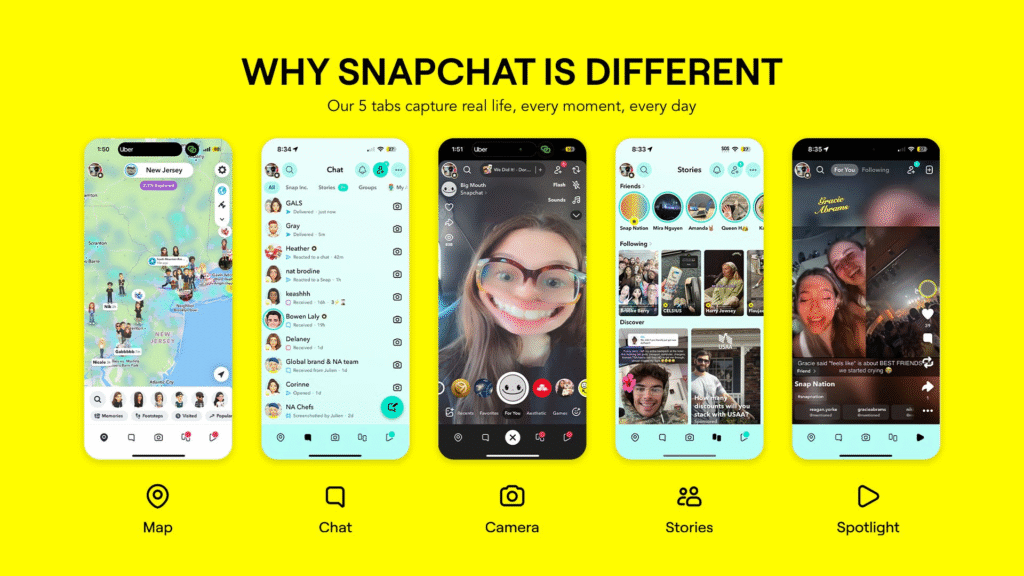
At its core, Snapchat is still built around fast, visual communication between friends. Instead of typing out long paragraphs, you send a quick photo or video Snap. However, around that core camera experience, Snapchat has built an entire ecosystem:
- Chats & Snaps: Direct photo, video, and text messages that vanish by default after viewing.
- Stories: 24-hour visual diaries you can share with your close friends or publish to the broader public.
- Spotlight: A dedicated vertical video feed designed for open content discovery, similar to TikTok or Instagram Reels.
- Snap Map: A real-time map that lets you see where your friends are, discover local events, and see what people are up to around the world.
- My AI: An integrated chatbot assistant powered by advanced language models to answer questions, plan trips, and brainstorm ideas.
- Public Profiles: Spaces where creators and public figures can host public Stories, Lenses, subscriber counts, and media portfolios.
What’s Brand New? Snapchat Plans Takes Offline Hangouts to the Next Level
One of the newest and most useful feature additions in late 2026 is Snapchat Plans.
We’ve all been part of group chats where someone says, “We should all get coffee this weekend!”—only for the idea to get buried under 200 memes, gifs, and side conversations. Snapchat Plans fixes this by giving you a clean, dedicated way to organize real-life events right inside your chats.
+-----------------------------------------------------------------------+
|                    HOW SNAPCHAT PLANS WORKS IN 2026                   |
+-----------------------------------------------------------------------+
|  1. CREATE: Name your plan, pick a date/time, and set a location.     |
|  2. INVITE: Send the invite directly into a group or 1-on-1 chat.     |
|  3. CUSTOMIZE: Add dynamic, Bitmoji-powered cover artwork.            |
|  4. TRACK RSVPs: Friends tap "Going", "Maybe", or "Can't Go".         |
|  5. REMINDERS: Everyone gets a automated reminder 1 hour before.      |
+-----------------------------------------------------------------------+
Snapchat introduced this feature after finding that 35% of young U.S. Snapchatters regularly use group chats to plan events. Instead of having to leave the app to set calendar invites or set up third-party event pages, everything stays neatly organized under a My Plans section on your profile.
Spotlight in 2026: Doubling Down on Authentic, Human-Made Content
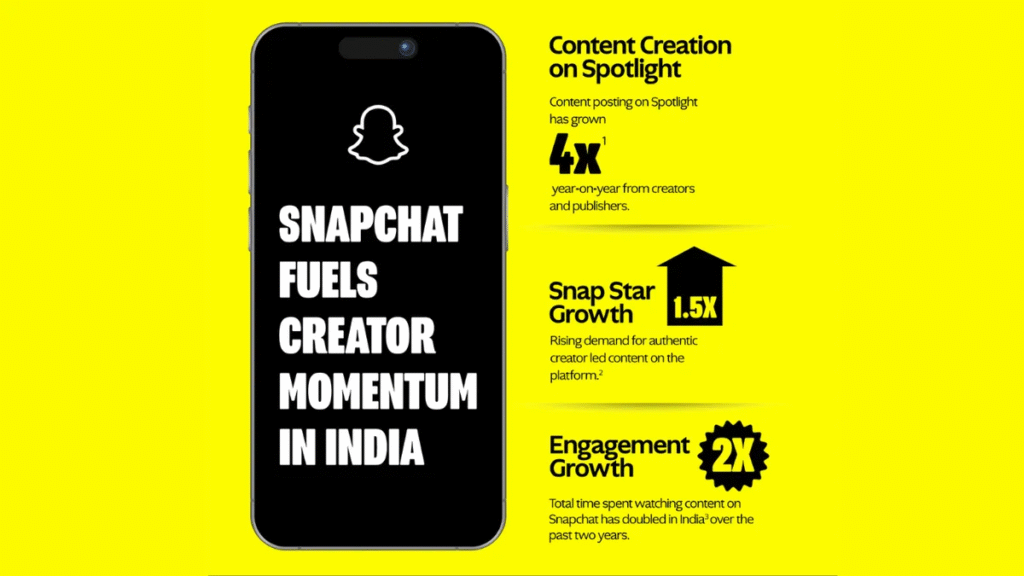
Spotlight is Snapchat’s public video platform. If you enjoy scrolling through quick, entertaining vertical clips, this is where you’ll spend most of your time.
The biggest shift on Spotlight in 2026 is Snapchat’s explicit focus on human-made creativity. With AI-generated video flooding social feeds across the web, Snapchat updated its recommendation algorithms to actively prioritize authentic, unscripted, and human-crafted videos over generic AI-generated content.
Quick Tips for Posting to Spotlight:
- Format: Videos must be vertical, at least 5 seconds long, and high resolution.
- Originality: Stick to genuine reactions, real-life moments, original comedy, or useful tips.
- Discovery: Add descriptive captions, location stickers, and topic tags so the app knows who to show your video to.
Snap Map Gets More Interactive with “Now Playing”
Snap Map is no longer just a tool for seeing where your friends are hanging out. It’s turned into an interactive social map.
A popular feature introduced in recent months is Now Playing, which integrates with music platforms like Spotify. When enabled, your Bitmoji on the Snap Map will display the song you are currently streaming, letting your friends tap on your profile to listen along or discover new tracks.
A Quick Reminder on Snap Map Privacy
It’s easy to forget that location sharing is turned on. Take a second to audit your settings:
- Ghost Mode: Hides your location completely. You can still see others, but no one can see you.
- Select Friends: Pick the exact group of close friends who are allowed to see where you are.
- My Friends: Shares your location with everyone on your friend list (not recommended if you add casual acquaintances).
How to Get the Most Out of My AI
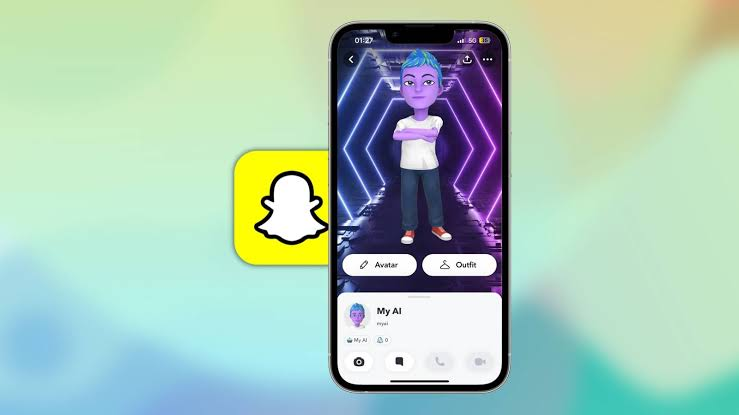
My AI is Snapchat’s built-in conversational assistant. Powered by underlying models from OpenAI (GPT) and Google (Gemini), it sits right at the top of your chat list like an extra friend.
You can ask My AI to do practical things like:
- Suggest dinner recipes using whatever ingredients you have left in your pantry.
- Draft a funny birthday message for a close friend.
- Generate ideas for a weekend road trip.
- Answer general trivia questions on the fly.
Important Safety Note: While My AI is handy for quick ideas, it can occasionally output incorrect or outdated answers. Never rely on it for official medical, legal, or financial advice, and never share private personal details like home addresses or passwords in your AI chat history.
Growing as a Creator: Public Profiles & Analytics
If you want to move beyond private friend chats and start building a real audience, setting up a Public Profile is essential.
A Public Profile separates your private life (your personal friends list) from your public persona. It gives you access to a suite of creator tools:
- Subscriber Button: Anyone can follow your content without you having to accept them as a personal friend.
- Public Stories & Highlights: Save your best content permanently to your profile so new viewers can binge your back-catalog.
- Lens Studio Hub: If you design custom AR Lenses, they automatically showcase on your profile.
- Deep Analytics: Track viewer demographics, subscriber growth, story completion rates, and reach metrics in real time.
Note on Age Restrictions: To keep younger users safe, Snapchat restricts public profiles based on age. Users under 16 receive a My Profile experience, which keeps saved Stories and Spotlight posts visible strictly to accepted friends.
Nostalgia Trend: Why the 2016 Look Returned

If you’ve noticed a sudden surge of basic, unedited Snaps or classic dog-ear filters on your feed lately, you’re not imagining things. A major trend on Snapchat in 2026 is a massive revival of mid-2010s social media aesthetics.
After years of overly polished, hyper-curated Instagram feeds and heavy video editing, users are craving casual, spontaneous content again. Searches for original 2016 Lenses skyrocketed, leading Snapchat to bring back classic filters and throwback features to celebrate simple, unedited sharing.
Snapchat Family Center & Essential Safety Settings
For parents, guardians, or privacy-minded users, Snapchat provides built-in tools to keep account activity secure.
How Snapchat Family Center Works
Family Center allows parents to supervise their teen’s account without violating their right to private messaging. Parents can see:
- Who their teen has been chatting with over the past week.
- A list of their teen’s accepted friends and newly added contacts.
- Active members in group chats their teen belongs to.
Crucially, Family Center does NOT allow parents to read the text contents of private messages. It provides oversight on who they are talking to while keeping the what private. Parents can also restrict My AI features and filter out sensitive public content.
3 Quick Steps to Improve Your Account Privacy
- Change “Contact Me”: Navigate to Settings and ensure Who Can Contact Me is set to Friends Only to block unsolicited messages from strangers.
- Limit Story Views: Keep your main Story set to Friends Only rather than Public.
- Turn Off Quick Add: Disable Show me in Quick Add if you don’t want your account recommended to mutual acquaintances.
FAQs
1. Snapchat Plans and Pricing: What’s Snapchat Plans?
Yes it is completely free. Snapchat Plans lets you schedule real-life meetups right from your individual and group chats. Drop a location, set a time, know who’s actually coming, and keep all the details together so no one has to scroll back through 200 messages to figure out where you’re meeting.
2. Can I use Snapchat on a laptop or desktop computer?
You can use Snapchat on a laptop or desktop through Snapchat for Web, which lets you chat, make video calls, and send messages from a computer.
3. How can I keep my location private on Snap Map?
You can control your location privacy directly in your settings using three main options:
- Ghost Mode: Completely hides your location from everyone while still letting you view the map.
- Select Friends: Allows only a specific list of trusted friends to see where you are.
- My Friends: Shares your location with everyone on your friends list.
4. What can Snapchat’s My AI actually do?
My AI sits at the top of your chat list and acts as a conversational assistant. You can ask it to draft quick messages, brainstorm road trip itineraries, suggest dinner recipes based on ingredients in your fridge, or answer general trivia. However, you shouldn’t share sensitive personal info with it or rely on it for official legal, medical, or financial advice.
5. What is the difference between a private account and a Public Profile?
A standard account is meant for personal friends and keeps your Stories and Snaps private. A Public Profile is built for creators and public figures—it adds a “Subscribe” button, lets you save public Stories and AR Lenses permanently, and gives you access to viewer analytics. (To protect younger users, Snapchat restricts Public Profiles for account holders under 16).