
If you’ve been checking your iPhone settings today, the wait is officially over. Apple has started rolling out iOS 27 across India, making it available starting tonight, September 14, 2026.
The update is completely free, downloads straight over Wi-Fi, and brings a huge focus to artificial intelligence, a much smarter Siri, clean visual tweaks, system speed boosts, and practical upgrades across everyday apps.
Here is a straightforward guide covering release timings, supported phones, key features, and whether you should install it right away.
Release Date and Timing in India
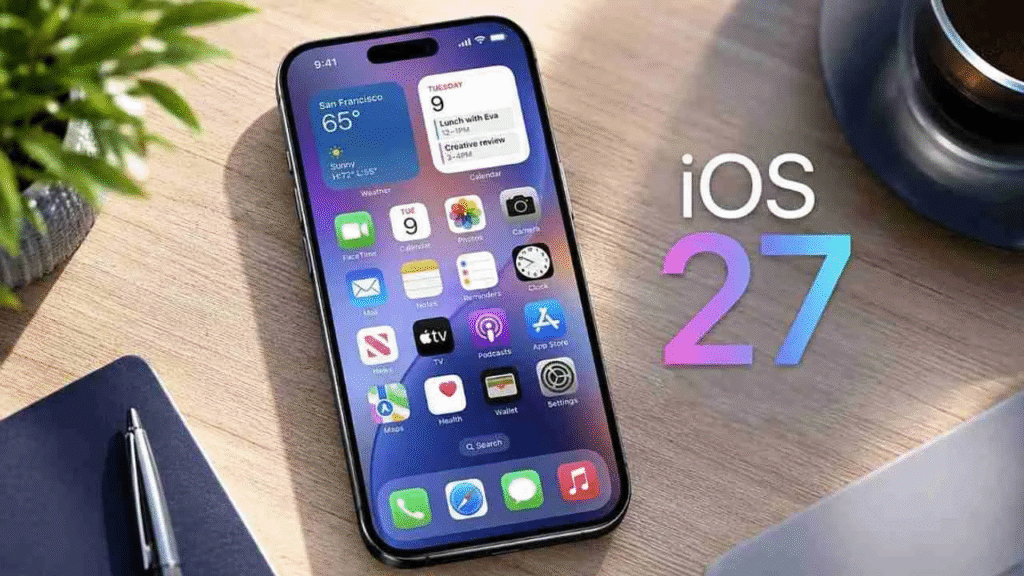
- Date: September 14, 2026
- Timing: Rolling out around 10:30 PM IST (matching Apple’s global 10:00 AM Pacific Time schedule).
- Cost: Free over-the-air update for all eligible devices.
Launch-Night Tip: If you open your settings right at 10:30 PM IST and don’t see the update immediately, don’t worry. Tens of millions of people try to grab the download at the exact same time. It usually takes anywhere from 15 to 45 minutes for the prompt to pop up on every device across the country.
Which iPhones Support iOS 27?
Apple continues to provide great long-term software support. iOS 27 runs on devices released as far back as late 2019:
- iPhone 18 Series: iPhone 18 Pro, 18 Pro Max, iPhone Duo (comes with iOS 27 pre-installed)
- iPhone 17 Series: iPhone 17, 17e, 17 Pro, 17 Pro Max, iPhone Air
- iPhone 16 Series: iPhone 16, 16 Plus, 16 Pro, 16 Pro Max, 16e
- iPhone 15 Series: iPhone 15, 15 Plus, 15 Pro, 15 Pro Max
- iPhone 14 Series: iPhone 14, 14 Plus, 14 Pro, 14 Pro Max
- iPhone 13 Series: iPhone 13 mini, 13, 13 Pro, 13 Pro Max
- iPhone 12 Series: iPhone 12 mini, 12, 12 Pro, 12 Pro Max
- iPhone 11 Series: iPhone 11, 11 Pro, 11 Pro Max
- iPhone SE: 2nd generation (2020) and newer
Keep in mind: While older models run the main software smoothly, complex local AI tools require the faster Neural Engine hardware found in newer processors.
Key Features in iOS 27
1. Re-engineered Siri AI
Siri moves away from rigid voice commands toward natural, human-like conversations. You can speak or type to Siri naturally, ask follow-up questions without repeating details, and request multi-step actions across different apps. It launches first in English, with additional regional language support coming in future updates.
2. Apple Intelligence & Call Context
AI features work quietly inside your apps rather than sitting in a standalone tool. A standout addition is Call Context—when your phone rings, it can automatically pull up relevant notes, recent emails, or calendar items related to the caller so you know what’s up before answering.
3. Visual Search in Camera
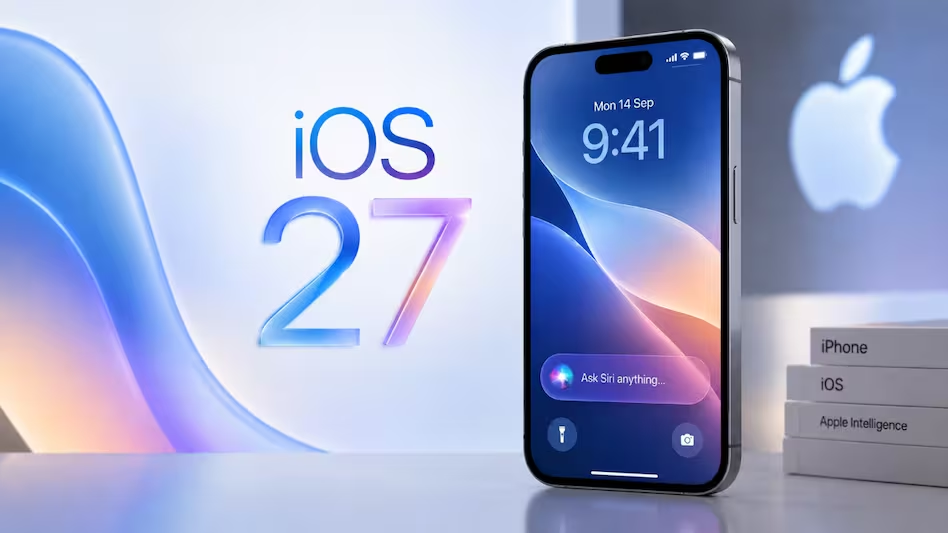
You can now jump into a Siri mode straight inside the Camera app. Point your lens at an unfamiliar object, plant, landmark, or menu to instantly translate text, look up product info, or run a visual search on the spot.
4. Smart Photo Editing
The built-in Photos app gets two major upgrades:
- Spatial Reframing: Automatically adjusts bad angles or perspective without awkwardly cropping out people or background details.
- Upgraded Clean Up: Easily brushes away photobombers or unwanted background items while keeping textures looking natural.
5. Customizable Liquid Glass
If you find transparent menus tricky to read, a new slider in Settings > Display & Brightness lets you adjust interface transparency. You can choose anything from a clear glass look to a darker, high-contrast tinted finish for easier reading.
6. Faster System Performance
Under-the-hood code improvements make everyday tasks feel noticeably faster:
- App launches are up to 30% faster.
- Photo gallery thumbnail loading is up to 70% faster.
- AirDrop transfer speeds jump by up to 80%.
7. Extra App & Connectivity Improvements
- Seamless Network Switching: Stops FaceTime calls, streams, or GPS navigation from dropping when walking out of your house and shifting from Wi-Fi to 5G.
- Intelligent Mail Search: Uses smart relevance ranking instead of simple keyword matching to bring the exact email you need to the top.
- Parental Controls: Simplified system-level tools to manage content limits, app requests, and screen time for kids’ accounts directly from settings.
- Direct GymKit Support: Syncs workout metrics directly with compatible gym equipment using your iPhone, along with heart-rate tracking support via AirPods Pro 3.
How to Install the Update
1.Back Up Your Device:Crucial safety step.
Go to Settings > [Your Name] > iCloud > iCloud Backup and tap Back Up Now (or plug into a computer to make a local backup).
2.Connect to Wi-Fi and Power:Prevents download errors.
Make sure your phone has at least 50% battery (or keep it plugged into a charger) and connects to a stable Wi-Fi network.
3.Check Software Update:Access update screen.
Open Settings, tap General, and select Software Update.
4.Download and Install:Final step.
Tap Download and Install once iOS 27 appears, enter your passcode, and let your phone finish installing.
Should You Update Right Away?
Wait a few days if: You rely heavily on specialized business, banking, or work apps. Waiting 3 to 5 days gives app developers time to release day-one patches and lets Apple fix any minor launch bugs with a quick follow-up release (like iOS 27.0.1).
Update tonight if: You want the new features, speed boosts, and security fixes immediately, and your phone is mostly for personal daily use.
FAQs
Do I have to pay to upgrade to iOS 27?
iOS 27 is a completely free, over-the-air software update provided directly by Apple for all compatible iPhone models.
How do I know if my iPhone supports iOS 27?
iOS 27 supports iPhones released from late 2019 onward. This includes the iPhone 11 series through to the latest iPhone 18 series, as well as the 2nd and 3rd generation iPhone SE models.
Will my older iPhone lag or slow down after updating?
No. Core system optimizations in iOS 27 actually speed up app launch times, gallery thumbnail rendering, and file transfers across all supported hardware. However, heavy local AI processing features are restricted to newer chipsets to prevent performance battery drain on older models.
Why doesn’t the update show up in my Settings right at 10:30 PM IST?
Millions of users pull the download simultaneously during global launch nights. It typically takes anywhere between 15 to 45 minutes for the update prompt to register on every phone across India. If it doesn’t appear immediately, close the Settings app, wait a few minutes, and open it again.
How much free storage space do I need to download iOS 27?
While the exact update payload varies by phone model, you should aim to have at least 5 GB to 8 GB of free internal storage available so your device has enough headroom to download, unpack, and install the update file smoothly.